
WhatsApp is about to let you stop handing out your phone number like it’s no big deal.
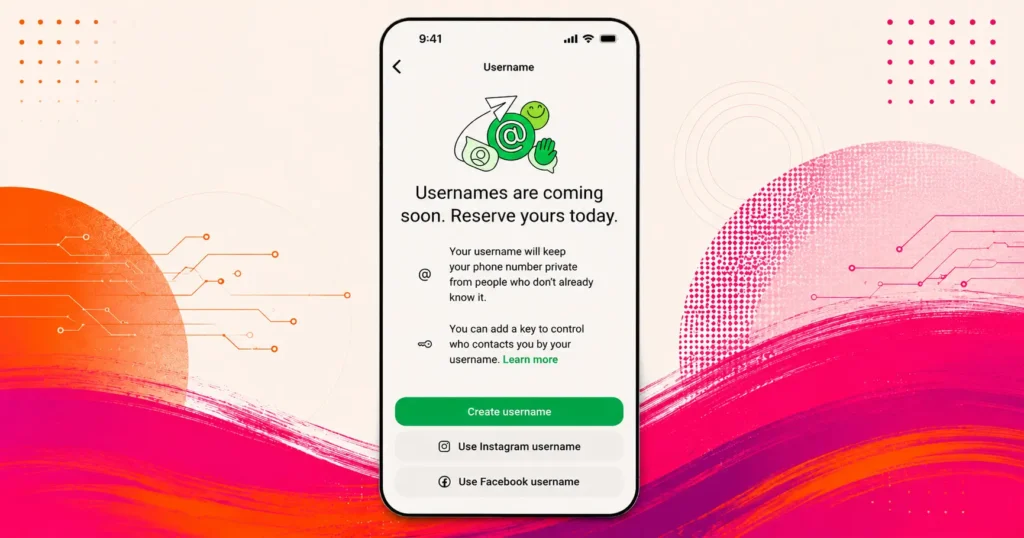
The platform announced that usernames are coming, starting with reservations this week ahead of a full rollout later this year. Once live, you’ll be able to chat with people using a username instead of your digits, no phone number required.
What you need to know
Think about every time you’ve had to give your number to someone you barely know. A new colleague. A parent in the soccer team chat. Someone you met once at an event and probably won’t see again.
A phone number isn’t just a contact detail. It’s tied to banking apps, location data, and a dozen other things you didn’t sign up to share with a stranger. Usernames give you a way around that.
WhatsApp usernames: How It Works
You’ll be able to reserve a username now, ahead of the actual feature launching later this year. With over three billion people on the platform, names overlap fast, so getting in early matters if you want something specific.
ALSO READ: Passkeys explained: Why Google wants you to ditch your passwords
WhatsApp has a username generator built in if you’re struggling to land on something.
Creators, small businesses, and organisations get an added option too: claiming a username that matches their existing Instagram or Facebook handle, keeping branding consistent across platforms.
The privacy side
There’s no public directory here, and no suggested usernames floating around for people to stumble onto.
Someone needs your exact username to message you for the first time. WhatsApp’s also added an optional username key, which acts as an extra layer of control over who can actually reach you.
Once the feature is live, messaging someone for the first time using your username means they won’t see your phone number at all.
How to get your WA username
Reserving one takes a few seconds. Head to Settings, then Account, then Username, on the latest version of WhatsApp.
Then, simply type out your preferred username, and the app will inform you if it is available or not. If not, try something else. If it is available, reserve it.
The rollout is happening gradually over the coming months, and WhatsApp says it’ll notify users in-app once usernames are available in their country.
NOW READ: Slack’s AI upgrade is much bigger than a chatbot